

Save Drawing As Pdf Solidworks
Export individual sheets from SOLIDWORKS drawing to PDF
More 'Goodies'
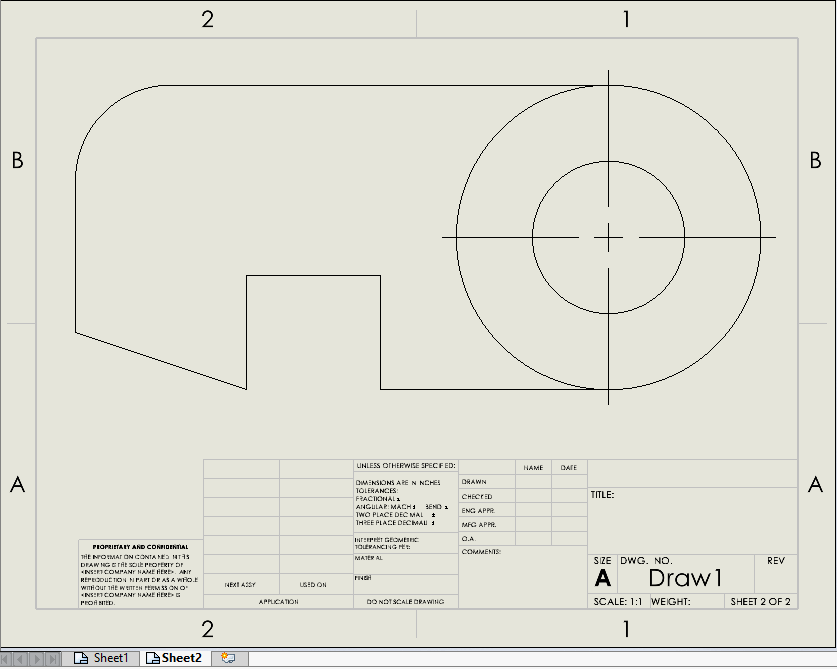
This VBA macro allows to export all sheets (or selected sheets) from the active SOLIDWORKS drawing into the separate PDF files. If no sheets selected - all sheets will be exported.
PDF files are saved to the same folder as original drawing and named after the sheet.
INCLUDE_DRAWING_NAME option allows to also include the name of the drawing to the output PDF if set to True, otherwise only sheet name is used.
Const INCLUDE_DRAWING_NAME As Boolean = True 'include the name of the drawing
Const INCLUDE_DRAWING_NAME As Boolean = True Dim swApp As SldWorks.SldWorks Sub main() Set swApp = Application.SldWorks try_: On Error GoTo catch_ Dim swDraw As SldWorks.DrawingDoc Set swDraw = swApp.ActiveDoc Dim swModel As SldWorks.ModelDoc2 Set swModel = swDraw If swModel.GetPathName() = "" Then Err.Raise vbError, "", "Please save drawing" End If Dim vSheetNames As Variant Dim i As Integer Dim swSelMgr As SldWorks.SelectionMgr Set swSelMgr = swModel.SelectionManager Dim selSheetNames() As String For i = 1 To swSelMgr.GetSelectedObjectCount2(-1) If swSelMgr.GetSelectedObjectType3(i, -1) = swSelectType_e.swSelSHEETS Then If (Not selSheetNames) = -1 Then ReDim selSheetNames(0) Else ReDim Preserve selSheetNames(UBound(selSheetNames) + 1) End If Dim swSheet As SldWorks.Sheet Set swSheet = swSelMgr.GetSelectedObject6(i, -1) selSheetNames(UBound(selSheetNames)) = swSheet.GetName() End If Next If (Not selSheetNames) = -1 Then vSheetNames = swDraw.GetSheetNames Else vSheetNames = selSheetNames End If For i = 0 To UBound(vSheetNames) Dim sheetName As String sheetName = vSheetNames(i) Dim swExpPdfData As SldWorks.ExportPdfData Set swExpPdfData = swApp.GetExportFileData(swExportDataFileType_e.swExportPdfData) Dim errs As Long Dim warns As Long Dim expSheets(0) As String expSheets(0) = sheetName swExpPdfData.ExportAs3D = False swExpPdfData.ViewPdfAfterSaving = False swExpPdfData.SetSheets swExportDataSheetsToExport_e.swExportData_ExportSpecifiedSheets, expSheets Dim drawName As String drawName = swModel.GetPathName() drawName = Mid(drawName, InStrRev(drawName, "\") + 1, Len(drawName) - InStrRev(drawName, "\") - Len(".slddrw")) Dim outFile As String outFile = swModel.GetPathName() outFile = Left(outFile, InStrRev(outFile, "\")) outFile = outFile & IIf(INCLUDE_DRAWING_NAME, drawName & "_", "") & sheetName & ".pdf" If False = swModel.Extension.SaveAs(outFile, swSaveAsVersion_e.swSaveAsCurrentVersion, swSaveAsOptions_e.swSaveAsOptions_Silent, swExpPdfData, errs, warns) Then Err.Raise vbError, "", "Failed to export PDF to " & outFile End If Next GoTo finally_ catch_: swApp.SendMsgToUser2 Err.Description, swMessageBoxIcon_e.swMbStop, swMessageBoxBtn_e.swMbOk finally_: End Sub
Save Drawing As Pdf Solidworks
Source: https://www.codestack.net/solidworks-api/import-export/export-sheets-pdf/
Posted by: paddockthadvice.blogspot.com
0 Response to "Save Drawing As Pdf Solidworks"
Post a Comment